What the Amazon Seller app is
The Amazon Seller app is the official mobile app for Seller Central, published by Amazon Mobile LLC. You sign in with your normal Seller Central login. If you sell in several countries, you switch region inside the app: the marketplaces of a European or North American unified account sit under one login. A second seller account means signing out and back in.
Amazon describes the app as a way to "monitor and streamline operations, make informed decisions, and grow your Amazon business anywhere". That is a fair summary. It is not a replacement for Seller Central, and Amazon does not present it as one. Reports, VAT, shipment plans and campaign building still happen in the browser.
So, is there an app for Amazon Seller? Yes, this one. Every other seller app in the App Store and on Google Play comes from a third party. Ours is one of them, an iPhone app on the App Store.
What the Seller app does well
Barcode scanner and product research
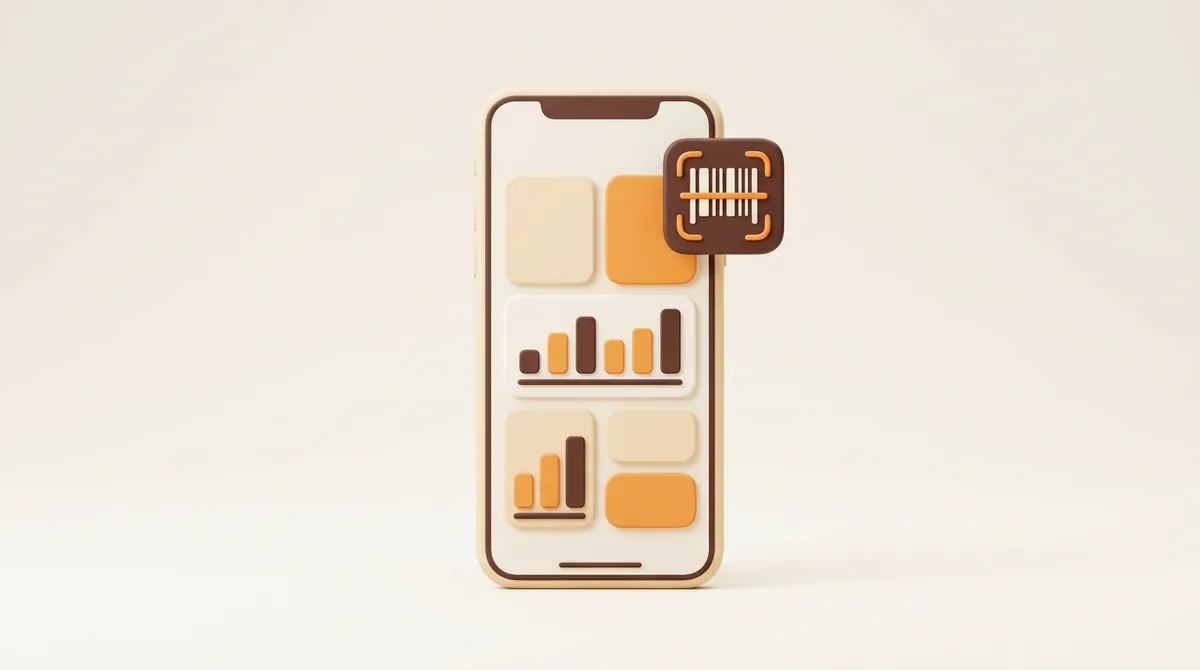
Point the camera at a barcode and the app tells you whether the product already exists in Amazon's catalogue, then lets you add an offer or create a new listing. We use this with supplier samples: scan the box, see the listing and the current offers, decide on the spot. Amazon also lists visual search and data insights for finding products to sell; treat those as a starting point, not as research.
Listings, prices and inventory
You can create listings, edit content and change prices, and the app shows the fees that go with a price change. The Seller App Photo Studio takes and edits product photos to Amazon's standards from your phone, which is handy for a quick replacement image. For inventory you get product-level stock and pricing, you can adjust merchant-fulfilled quantities, and you can follow the status of your FBA inventory, including inbound shipments. Checking whether a shipment has been received is the thing we do most.
Orders, returns and buyer messages
The app shows your pending orders, lets you confirm shipments for orders you ship yourself, and handles returns: authorise or close a return, issue a refund, change your returns settings. Buyer messages can be answered with customisable templates, and you can reply to reviews, see feedback and follow your support cases. For a small catalogue this covers most of the daily customer work.
Account health, advertising and support
Account health shows policy updates and banner alerts about your performance. For Sponsored Ads you see impressions, clicks, spend, sales and conversions, and you can change budgets and keywords. Sales analytics drill down to product level with traffic and conversion trends. Seller Support can be contacted from inside the app.
What the Seller app does not do
No push notification for FBA orders
Amazon's own store description says "Get notified when you receive new orders". In practice that applies to orders you ship yourself. For orders that Amazon fulfils there is no push per order. Amazon staff member Dominic_Amazon wrote on the EU Seller Forum: "There are no SMS push notifications for FBA, only for FBM. You can get an email every 2 hours summarizing recent FBA orders shipped, but no email as FBA orders are made."
Even the FBM alert is not a sales bell. A seller in another forum thread described it like this: "It decides when it'll tell you, not when there is a sale made and it may decide to tell you multiple sales at the same time." Threads with titles such as "New sale notifications not happening" keep appearing. We go through every notification type in what the Seller app notifies and what it does not.
This is the gap we built Agent ChaChing for. It checks your Amazon orders every minute and plays a cash register sound for every order, FBA and FBM. Beyond that it shows your numbers for the day on Home, and it sits next to the Seller app rather than replacing it.
What we measured
On 28 August 2026 we ran a test on our own seller account, which sells via FBA on the European marketplaces. Amazon sent no ORDER_CHANGE push for any FBA order while it was in Pending; the first push only came with a later status. Several orders stayed in Pending for hours. New Pending orders sometimes appeared in the Orders API 10 to 15 minutes after the purchase. That is why our poller looks back 30 minutes on every run.
No revenue widget, no Apple Watch app
There is no home screen widget with today's sales and no Apple Watch app. The App Store compatibility list names iPhone and Apple Vision, nothing for the wrist. If you want the day's revenue, you open the app and tap through to the sales screen. The same goes for Android: no revenue widget.
The rest still lives in Seller Central
The app covers the daily tasks; the structural work stays in the browser. This is how the two split for us:
| Task | In the Seller app | In Seller Central (mobile browser) | Notes |
|---|---|---|---|
| Edit a listing, change a price | Yes, with fees shown | Yes, full editor | App is quicker for small edits |
| Check FBA stock and inbound shipments | Yes, status view | Yes, plus full reports | App is enough for a status check |
| Confirm an FBM shipment | Yes | Yes | Same result |
| Answer buyer messages | Yes, with templates | Yes | We prefer the app |
| Returns and refunds | Yes | Yes | Same result |
| Account health | Yes, alerts and policy updates | Yes, full detail | Read alerts in the app, act in the browser |
| Advertising | Budgets and keywords | Full campaign manager | Build campaigns on a laptop |
| Business reports and payments | Summary view | Full reports and downloads | Browser for anything you export |
| Email notification preferences | Push settings only | Settings, Notification Preferences | See our guide to Seller Central notifications |
| Manage third-party app access | We do this in Seller Central | Apps and Services, Manage Your Apps | Where you revoke an app's access |
| Alert for a new FBA order | No push | No, refresh by hand | Third-party alert app |
Amazon Seller app on iPhone versus Android
Both versions come from Amazon and share the same feature list. The differences are in the ratings and in how notifications are handled by the operating system.
| iPhone (App Store, US) | Android (Google Play) | |
|---|---|---|
| Rating on 27 August 2026 | 4.6 out of 5, about 107,000 ratings | 3.9 out of 5, about 196,000 ratings |
| Installs | Not shown by Apple | More than 10 million |
| Version we checked | 9.13.0 | Not stated on the listing |
| Requirements | iOS 16.4 or later | Varies by device |
| Notification sound | System options only, no sound setting in the app | Two notification channels, "Amazon Seller" and "Amazon Seller Order", sound per channel in Android settings |
| Watch and widgets | No Apple Watch app, no revenue widget | No revenue widget |
The Android rating is 0.7 star lower than the iPhone rating. We use both and see the same functions. If your notifications have stopped, the fixes are in the Seller app not working: twelve fixes. One thing no fix solves: FBA orders are not pushed at all.
How we use the Seller app next to Seller Central
We have sold on Amazon since 2021, via FBA on the European marketplaces, mostly amazon.de. This is the routine after five years:
- Morning, on the phone: account health, buyer messages, open returns. Two minutes, in the Seller app.
- On the road: the scanner for samples, a price change when a competitor moves, a look at whether an inbound shipment has been checked in.
- On the laptop, in Seller Central: business reports, advertising, disbursements, VAT, shipment plans, Notification Preferences, and the Manage Your Apps page for anything we have connected. How authorisation works and what to check first is in how to connect an app to Seller Central safely.
- Orders: a cha-ching on the phone from Agent ChaChing for every order, with a counter for the day. After the sound we open the Seller app if we want to see the order. Every other way to learn about a sale, ranked by speed, is in how to get notified when you make a sale on Amazon.
That split has held for years. The Seller app is a good tool for the tasks Amazon built it for. It was never built to be a sales bell for FBA sellers, and it still is not one.
Is the Amazon Seller app free?
Yes. The app is free to download and use on both platforms, and the App Store listing shows no in-app purchases. What costs money is selling itself: the Professional selling plan is 39.99 USD per month on amazon.com and 39 euro per month excluding VAT on the European marketplaces, plus a referral fee per sale and, with FBA, fulfilment and storage fees. Check Amazon's current fee page before you decide; we break the fees down in how much it costs to sell on Amazon.
Frequently asked questions
What does the Amazon Seller app do?
It lets you run the daily part of a Seller Central account from your phone: create and edit listings, change prices and see the fees, check inventory and FBA inbound shipments, confirm FBM shipments, handle returns and refunds, answer buyer messages, watch account health, adjust ad budgets and keywords, and contact Seller Support. It also has a barcode scanner for checking products against Amazon's catalogue.
Does the Amazon Seller app cost money?
No. The app is free on the App Store and Google Play with no in-app purchases. You pay for selling on Amazon, not for the app: the selling plan, referral fees and, if you use FBA, fulfilment and storage fees.
How does the Amazon Seller app work?
You install it, sign in with your Seller Central login and pick the region you sell in. The app then shows the same account as the browser in a simplified layout. A price or quantity you change in the app changes in your real account, so treat it with the same care as Seller Central.
Does the Amazon Seller app notify you of FBA orders?
No. According to Amazon staff on the Seller Forum there are no push notifications for FBA orders, only for FBM orders, and those arrive with a delay and sometimes in batches. For FBA you can receive an email every two hours that summarises shipped orders. On our own account we measured no push at all while an FBA order was in Pending.
Sources
- https://sell.amazon.com/tools/amazon-seller-app
- https://apps.apple.com/us/app/amazon-seller/id794141485
- https://play.google.com/store/apps/details?id=com.amazon.sellermobile.android
- https://sellercentral-europe.amazon.com/seller-forums/discussions/t/f5866f24-e25d-4ef7-b86d-89c18a61cf54
- https://sellercentral-europe.amazon.com/seller-forums/discussions/t/5e5a75f36bedab53e6e9174010bde207
- https://sellercentral.amazon.com/seller-forums/discussions/t/3326bd3a-c6ad-4cea-a46c-539c50730727
- https://developer-docs.amazon.com/sp-api/docs/orders-api-v0-reference
- https://developer-docs.amazon.com/sp-api/docs/roles-in-the-selling-partner-api
- https://sell.amazon.com/pricing
- https://sell.amazon.com/global-selling